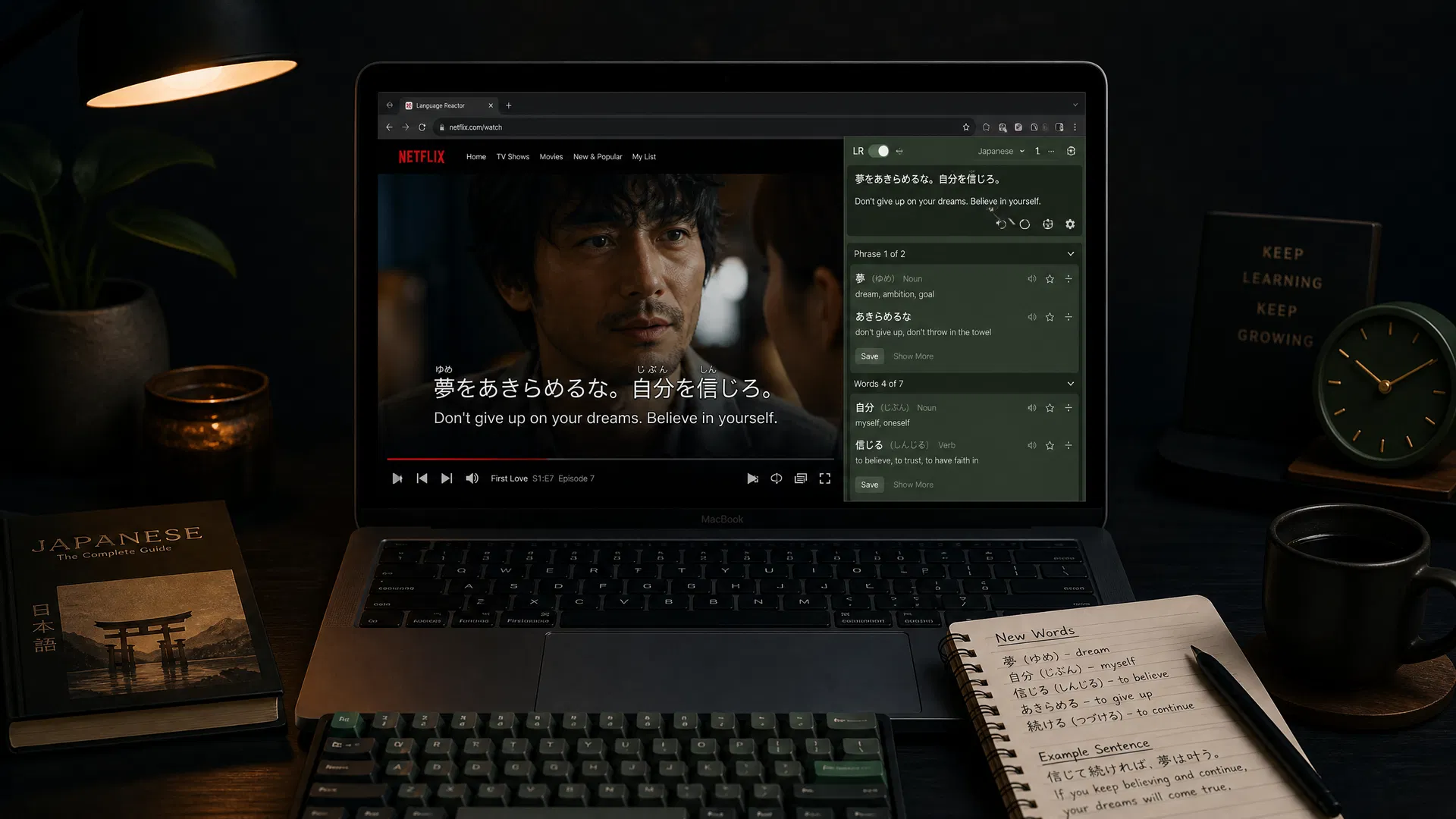
How to Set Up Dual Subtitles on Netflix
Netflix doesn't support dual subtitles natively — but with the right browser extension, you can display your target language and native language subtitles simultaneously on any show. Here's how to set it up in under 5 minutes.
Step-by-Step Setup
Install LangPanda (or Language Reactor)
Open the Chrome Web Store (or Firefox Add-ons) and search for "LangPanda". Click "Add to Chrome" and confirm the installation. The extension icon will appear in your browser toolbar. If you prefer a free option, Language Reactor works on Netflix and YouTube, or Trancy works on Netflix, YouTube, HBO, Disney+, TED, and more — both are free. Trancy also supports Firefox and Brave.
Open Netflix and start a show
Navigate to Netflix in your desktop browser and open any show or movie. Make sure you choose a show that has subtitles available in your target language — you can check this by clicking the subtitle icon in the Netflix player before installing the extension.
Open the LangPanda panel
Once the show is playing, click the LangPanda icon in your browser toolbar. A settings panel will appear. Select your target language (the language you're learning) and your native language from the dropdown menus.
Enable dual subtitles
Toggle the "Dual Subtitles" switch in the LangPanda panel. Your target language subtitles will appear at the bottom of the screen in a larger font, and your native language subtitles will appear below them in a smaller, secondary font. Both tracks update in real time as the show plays.
Customize your subtitle settings
In the LangPanda settings panel, you can adjust the font size, color, and vertical position of both subtitle tracks. You can also enable "Click to look up" mode, which lets you click any word in the subtitles to see its definition, pronunciation, and example sentences without pausing the show.
Export vocabulary to Anki (optional)
When you encounter a word you want to remember, click it in the subtitle to open the word card. Click "Add to Anki" to export the word with its definition, example sentence from the show, and an audio clip of the word being spoken in context. This creates a high-quality Anki card in seconds.
LangPanda vs Language Reactor vs Trancy
| Feature | LangPanda | Language Reactor | Trancy |
|---|---|---|---|
| Dual subtitles | ✓ | ✓ | ✓ |
| Click-to-lookup | ✓ | ✓ | ✓ |
| Anki export with audio | ✓ | Pro only | ✗ |
| Works on Disney+ | ✓ | ✗ | ✓ |
| Works on HBO | ✓ | ✗ | ✓ |
| Works on Prime Video | ✓ | ✗ | ✗ |
| Works on Crunchyroll | ✓ | ✗ | ✗ |
| Firefox / Brave support | ✓ | ✗ | ✓ |
| Free tier | 7-day trial | Permanent free | Permanent free |
| Price | $8.88/mo | Free / $5/mo Pro | Free / $42/yr |
Trancy limitation: no Anki export — saved words stay in Trancy's wordbook only. Step up to LangPanda when you're ready to mine vocabulary into Anki. Try Trancy free →
Ready to set up dual subtitles?
LangPanda is the fastest way to get dual subtitles on Netflix, YouTube, Disney+, and more. 7-day free trial, no credit card required.
Try LangPanda Free